SourceFinder · free movie clip finder
What movie is this? Find it from any TikTok clip
SourceFinder is a free app that names the movie or TV show behind a clip, edit or screenshot from TikTok, Instagram Reels or X. Paste the link or upload the clip and get the title, the episode and where to stream it in seconds.


Free on iPhone, iPad and Android
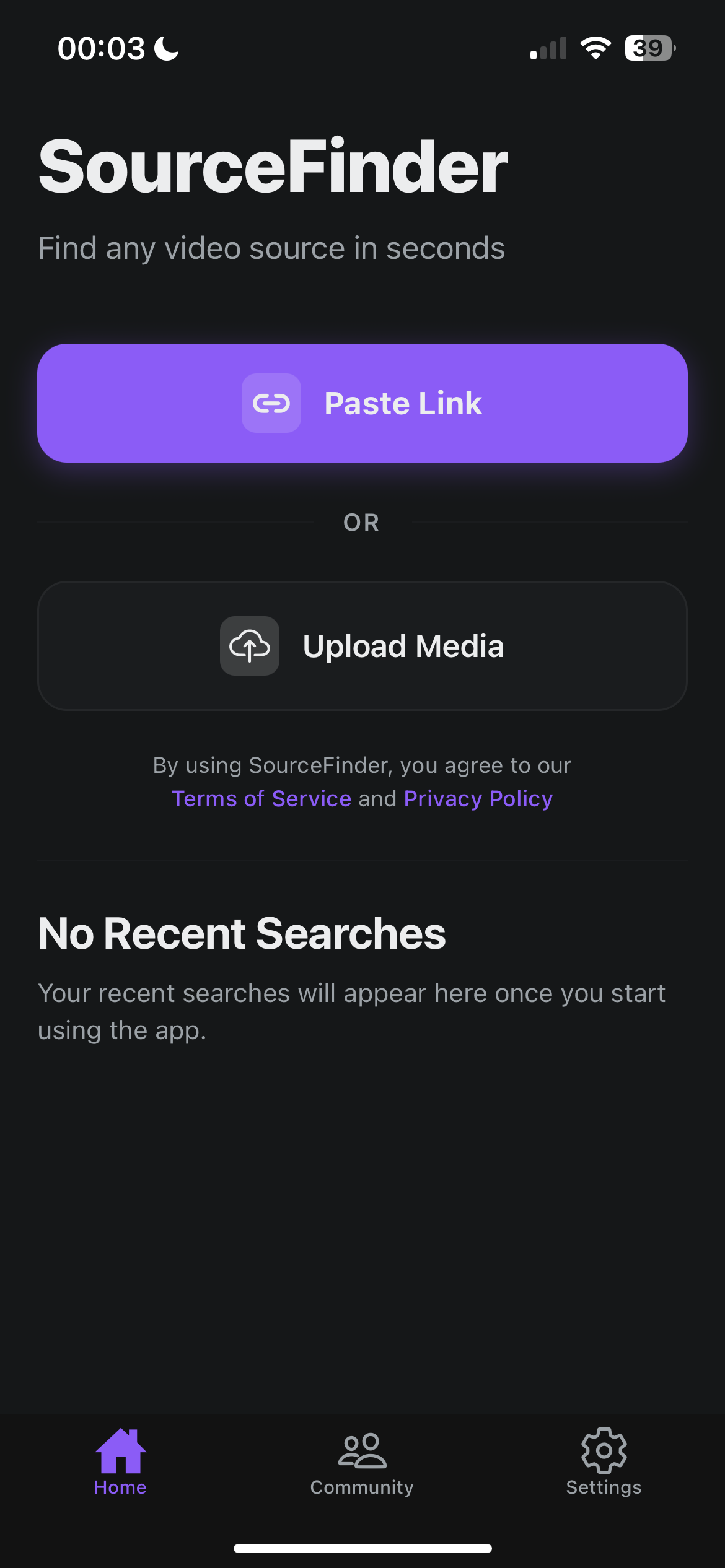
A Shazam for movies and TV shows
Built for the clips people actually share: cropped, captioned, reposted and edited
Works with TikTok, Reels and X
Paste a link from TikTok, Instagram Reels or X and SourceFinder pulls the clip and finds where it came from.
Screenshots and uploads too
No link? Upload the video or a screenshot of the scene. Works on movie stills, TV episodes and fan edits.
Title, episode and where to watch
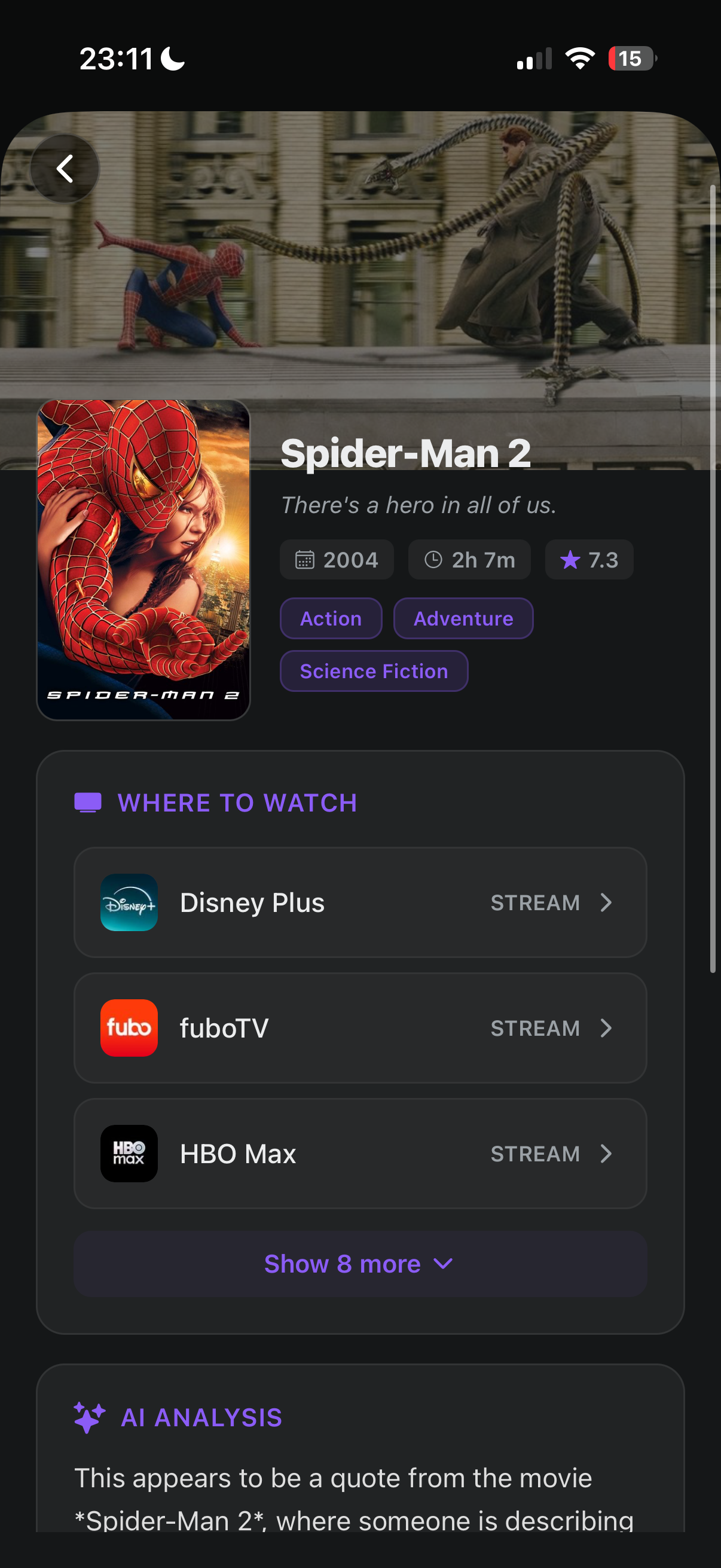
Get the movie or show name, the season and episode for TV, and every streamer it's on: Netflix, Prime Video, Disney+, Max, Hulu and more.
Community backup
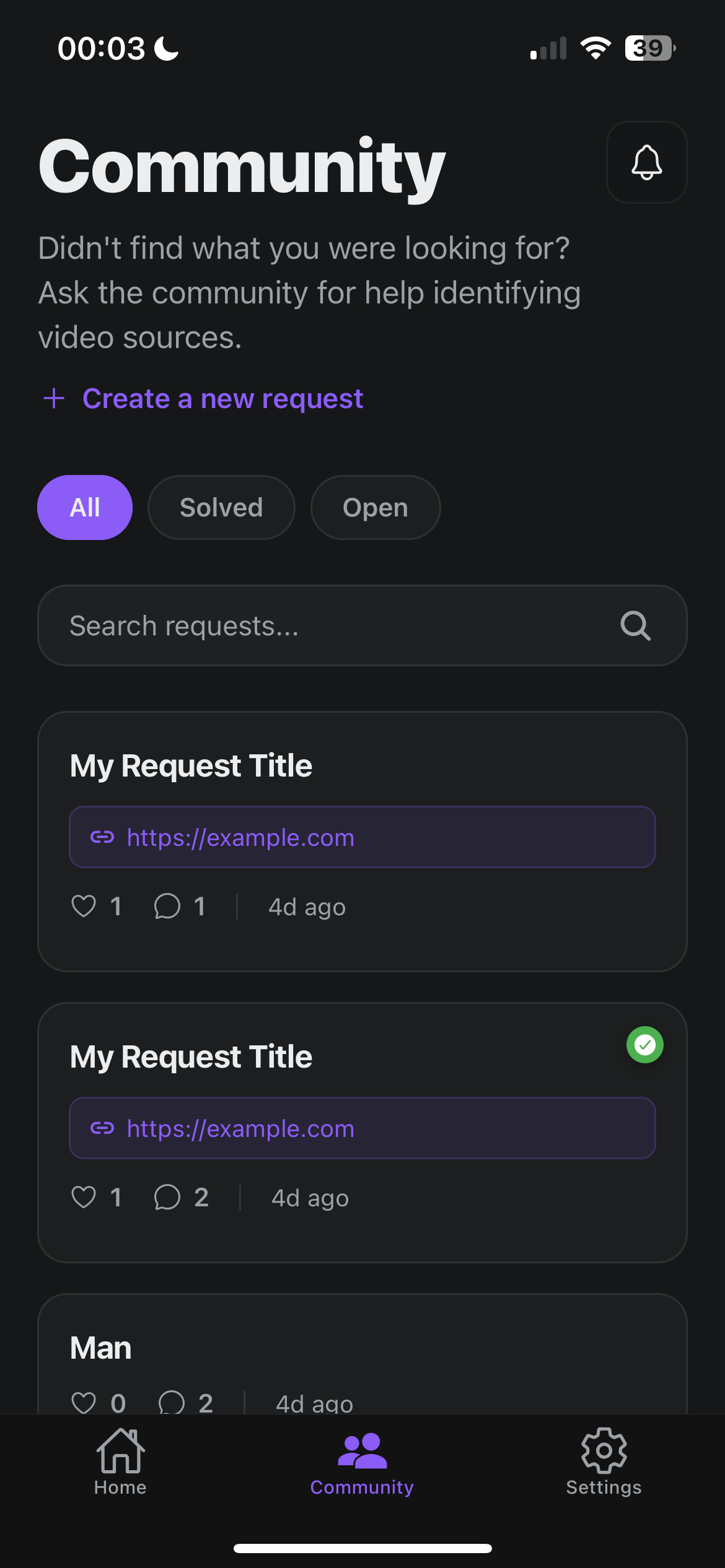
If a clip stumps the AI, post it to the SourceFinder community and other movie fans help name it.
How to find a movie from a TikTok clip
Three steps, a few seconds, no scrubbing through comments asking "movie name?"
- Step 1
Copy the clip link
Saw a scene on TikTok, Instagram or X and need the name? Copy the link. No link? Save the video or take a screenshot.
- Step 2
Paste or upload in SourceFinder
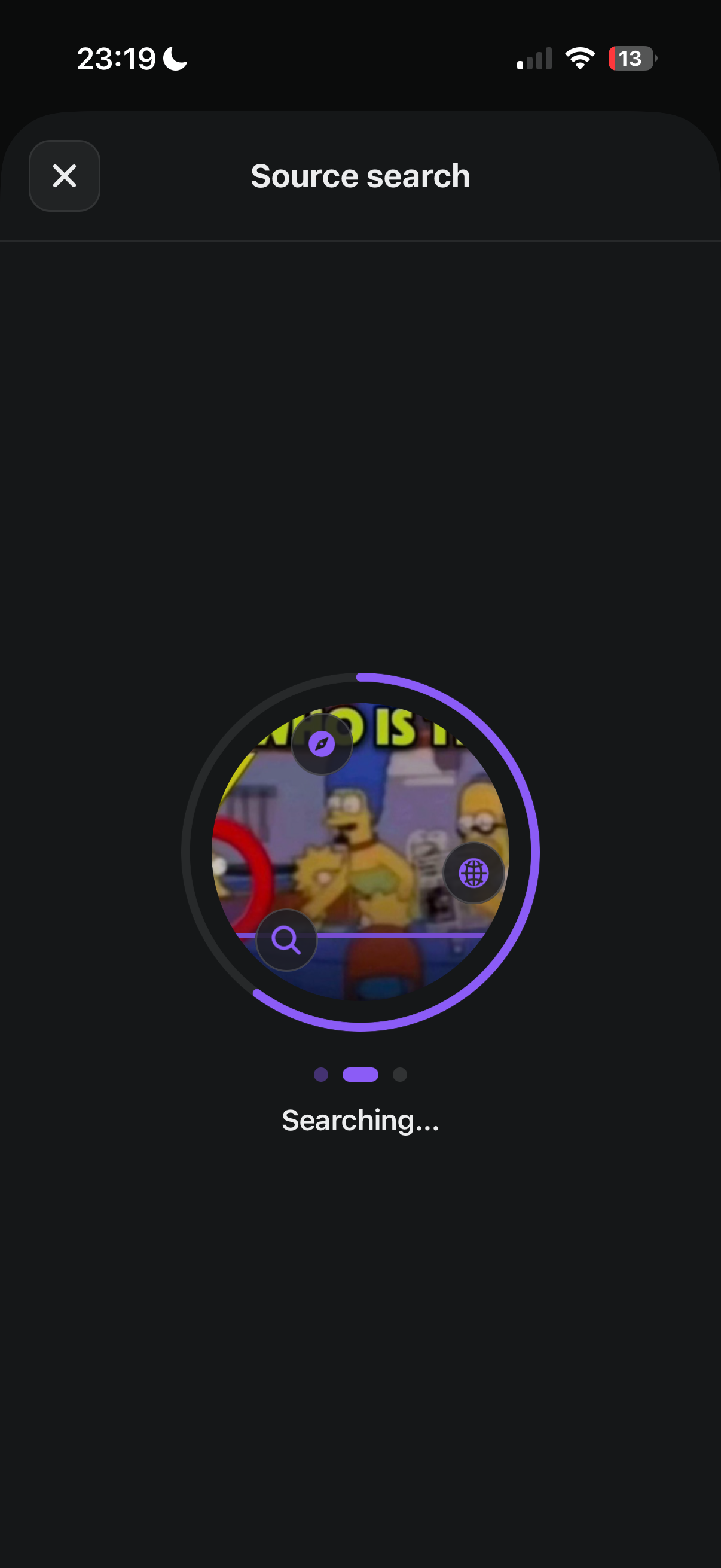
Paste the link or upload the clip. SourceFinder pulls frames from the video and searches for the movie or show it came from.
- Step 3
Get the title and where to watch
You get the movie or show, the episode when it is a TV clip, and the streamers carrying it, from Netflix and Prime Video to Disney+ and Max.
Most searched on SourceFinder
The movies and shows people keep finding in TikTok and Reels clips








Inside the app
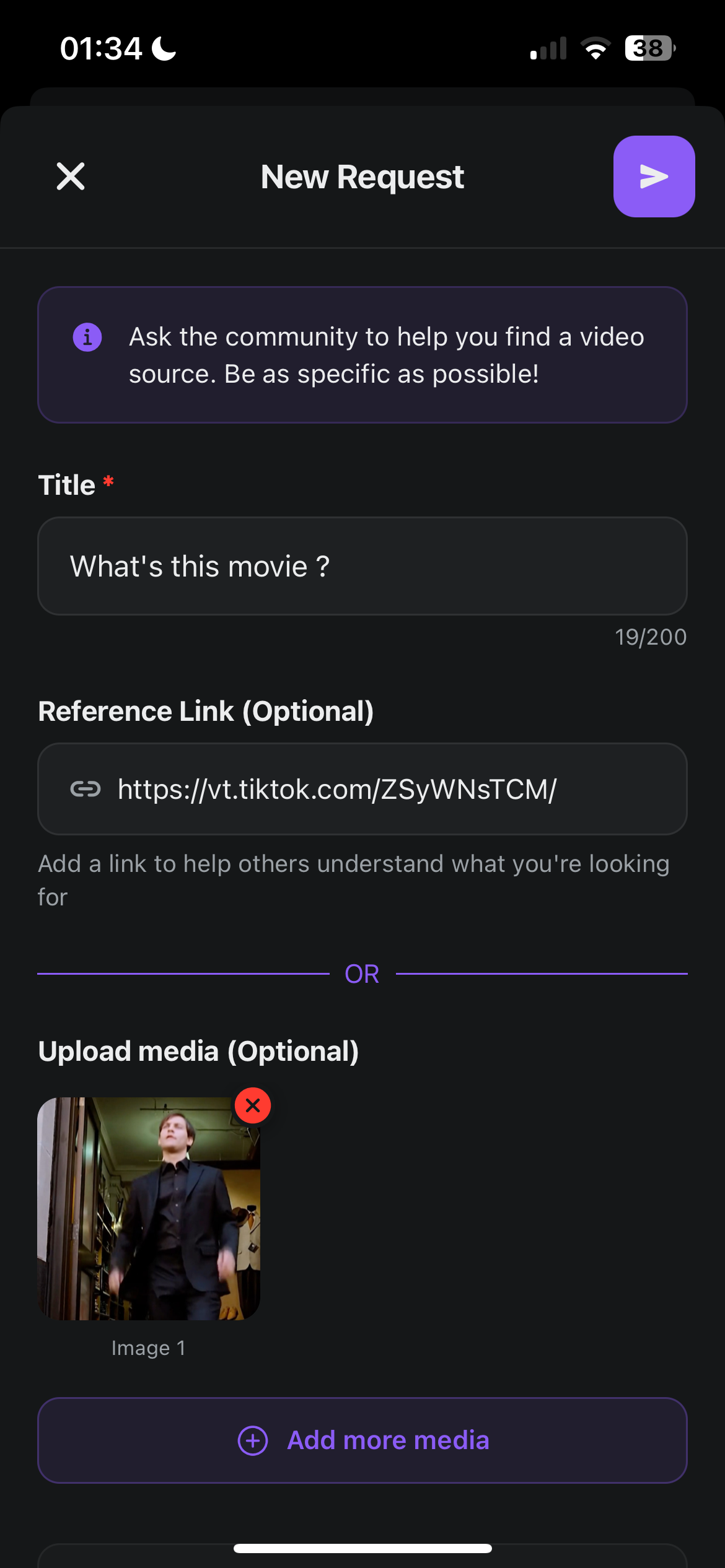
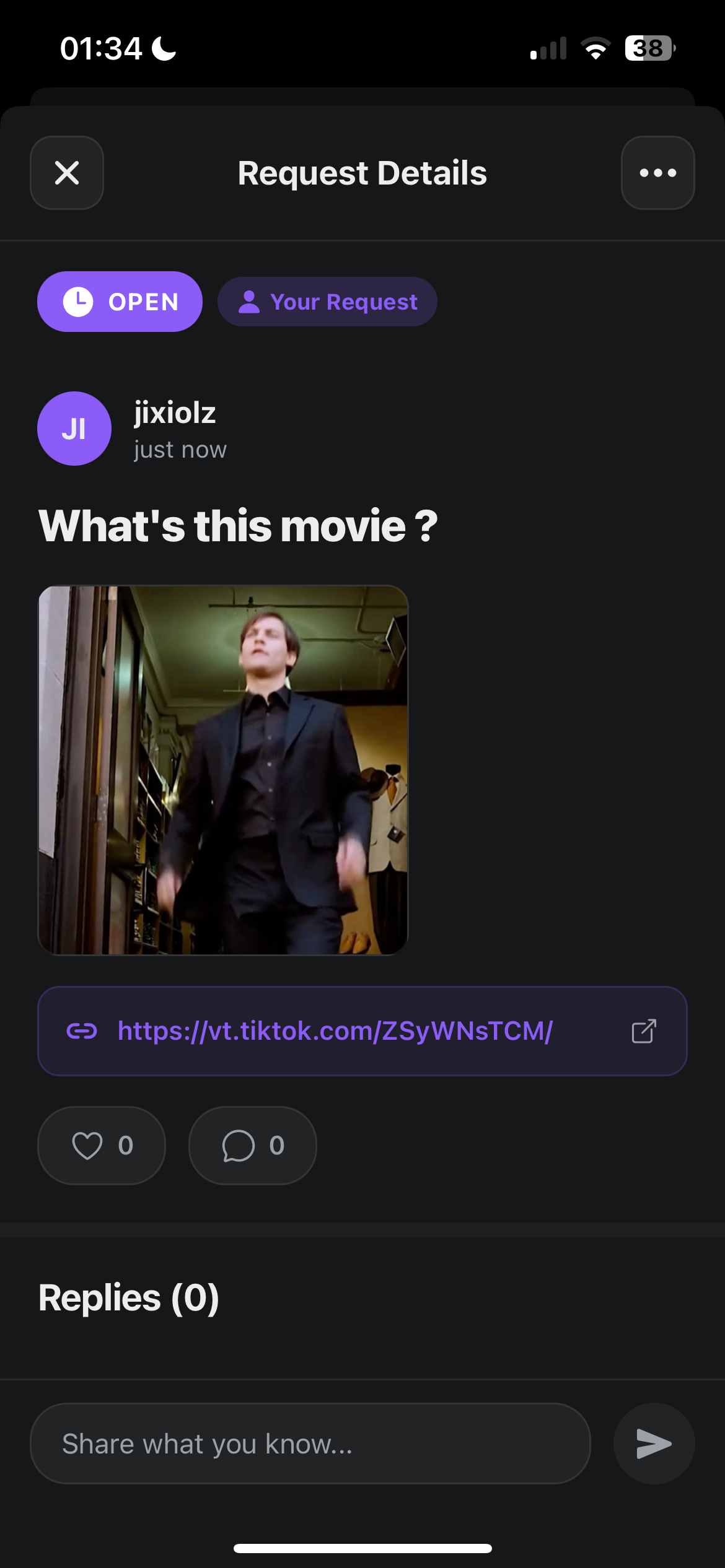
Search, results with streaming links, and a community for the clips nobody can place
Questions people ask
What movie is this TikTok from?
+
The fastest way to find out is SourceFinder. Copy the TikTok link, paste it into the SourceFinder app and it names the movie or TV show the clip came from, usually in a few seconds. You do not need to know any dialogue, actor names or the caption. It works on cropped, captioned and re-edited clips, which is how most movie clips show up on TikTok. Along with the title you get the season and episode for TV clips and the streaming services that carry it, so you can go from "what is this?" to watching it in one step. SourceFinder is free on iPhone, iPad and Android.
Is there an app that tells you what movie a clip is from?
+
Yes. SourceFinder is a free app for iPhone and Android that identifies movies and TV shows from clips, edits and screenshots. Paste a link from TikTok, Instagram Reels or X, or upload a video or image straight from your camera roll. SourceFinder returns the title, the episode if it is a TV show, the year, genres, rating and where it is streaming. Every search is saved in your history so you can come back to it later, which turns the clips you scroll past into a watchlist.
Is there a Shazam for movies?
+
SourceFinder works like Shazam for movies and TV shows. Shazam listens to a few seconds of audio and names the song. SourceFinder looks at a clip or screenshot and names the movie or series it came from, then tells you where to watch it. It is built for the way clips actually spread online: vertical crops, burned-in captions, filters and swapped music. SourceFinder is independent and not affiliated with Shazam or Apple.
How do I find a movie from an Instagram Reel?
+
Open the Reel, tap the share icon and copy the link. Paste it into SourceFinder and it finds the movie or show the Reel was cut from. If the Reel is a fan edit mixing several scenes, SourceFinder still looks for the source footage. You can also screen record the Reel or screenshot a frame and upload that instead. You get the title, the episode for TV, and the streaming services where you can watch the full thing.
Can I find a movie from a screenshot?
+
Yes. SourceFinder accepts images as well as videos and links. Upload a screenshot of the scene and it identifies the movie or TV show, including stills from older films and sitcoms. A clear frame with a character visible works best. Screenshots with a meme caption or quote on top usually still work, because SourceFinder reads the whole image. If the AI cannot place it, you can post the screenshot to the SourceFinder community so other users can help.
Does SourceFinder identify TV shows too, or just movies?
+
Both. A lot of the clips people search are from TV: some of the most searched titles on SourceFinder are Invincible, The Rookie, Friends, Suits and The Sopranos. For a TV clip SourceFinder tells you the show and, when it can, the season and episode, plus which streamers carry it in your region, including Netflix, Prime Video, Disney+, Max, Hulu, Peacock and Paramount+.
How do I find a movie from a TikTok edit with music over it?
+
Edits are the hardest clips to place by ear because the original audio is usually replaced with a song. SourceFinder looks at the footage itself, so a TikTok edit with music, slow motion, zoom effects or text on screen can still be matched to the movie or show it was cut from. Paste the edit link into the app. If the edit mixes scenes from several films, try uploading a screenshot of the specific scene you want.
Does SourceFinder work with X (Twitter) videos?
+
Yes. Along with TikTok and Instagram, you can paste links from X (Twitter) posts. For a clip from anywhere else, download it or screenshot a frame and upload it to SourceFinder instead.
Where can I watch the movie once SourceFinder finds it?
+
Every result lists the services where the title is available, split into streaming and buy or rent options: Netflix, Amazon Prime Video, Disney+, Max, Hulu, Apple TV, Peacock, Paramount+ and more. Tap a service to go straight to it. Streaming availability comes from TMDB and JustWatch.
Is SourceFinder free?
+
Yes. SourceFinder is free to download on the App Store and Google Play, and you get free searches every day. You can also ask the community for help with clips the AI cannot find.
What if SourceFinder cannot find the movie?
+
Post the clip to the SourceFinder community. Create a request with the link or a screenshot, and other users who recognise the scene can reply with the title. You can browse open and solved requests too, which is handy if someone already asked about the same clip.
Is my data private?
+
SourceFinder does not sell your data or share your searches with advertisers. Your search history lives in your account so you can revisit it, and you can delete your account and data at any time from the account deletion page on this site.
Stop scrolling past the movies you want to watch
Download SourceFinder free on iPhone and Android. Paste a clip link, get the title, the episode and where to stream it.